How to Create Social Media Posts for Contractors in Under 60 Seconds
Published October 26, 2026
How to Create Social Media Posts for Contractors in Under 60 Seconds
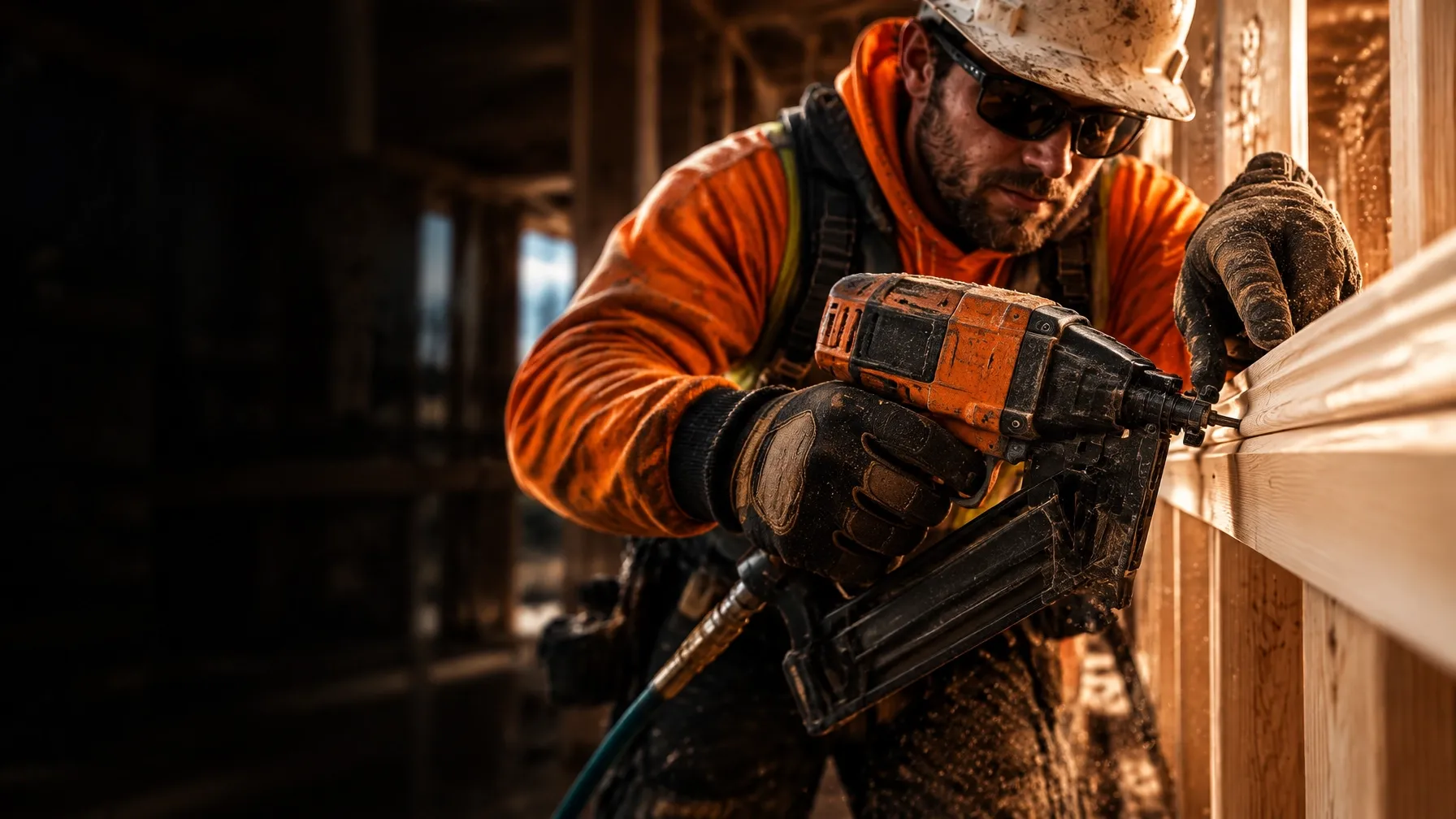
Field 2 Feed is contractor social media automation built for residential builders and trade contractors: upload a real jobsite photo from your phone’s mobile browser, record a 10-second voice note with the specs, materials, or tolerances, and Field 2 Feed publishes a branded, trade-accurate post to your Facebook and Instagram pages in under 60 seconds.
You’re a builder, not a full-time marketer. But the work you finish every day gives you useful material for social media, if you can turn it into a post without stopping work to write one.
Here’s a straightforward jobsite-to-social workflow: take a real photo, record a quick voice note with the details, and let Field 2 Feed turn them into a branded post for Facebook and Instagram in under 60 seconds.
The 60-second workflow
1. Take a real jobsite photo
Snap a photo of the work in progress or the finished detail. You don’t need a staged setup or special camera. Use the phone you already have on site.
Choose a photo that shows something specific: a framing detail, a finished cabinet install, a drywall run, a foundation pour, or a clean project handoff. The best photo gives people a reason to pause and look.
Keep customer privacy in mind. Avoid sharing a homeowner’s face, address, or other identifying details unless you have permission.

2. Upload from your phone and add a voice note
Open Field 2 Feed in your phone’s mobile browser. Upload the photo and record a quick voice note, about 10 seconds, with the details you want the post to get right.
Mention the trade, material, specification, tolerance, or work stage. Use the words you’d use to explain the job to another contractor or to a customer who asked what you were doing.
For example, a note might cover the room, the material, and the work completed: “Drywall taping on a 14-foot great room ceiling. We’re finishing the seams and checking the long runs before the next coat.” That gives the post real job context instead of generic copy.

3. Let the system build and publish the post
Field 2 Feed uses your photo and voice note to create trade-accurate post copy. It adds your company logo, formats the layout, includes your custom call-to-action, and adds trade-specific hashtags. Once your Facebook and Instagram pages are connected, it publishes to them.
You supply the jobsite evidence and the details. You don’t need to draft a caption, design a graphic, or open a separate scheduling tool.

What makes a jobsite post useful?
A post shouldn’t just say “Another job complete.” Give people one clear detail about the work. That detail might explain:
- What you installed, repaired, or finished.
- Which material or product you used.
- What stage the project is at.
- A specification or tolerance that matters.
- How the finished work serves the customer.
You know which details matter in your trade. A short voice note lets you capture them while they’re fresh, instead of trying to remember them at the end of the week.
Keep the note factual. Don’t include a claim you can’t verify, and don’t share a customer’s private information. If you’re not sure whether a project detail is okay to post, leave it out or get permission first.
Why this workflow fits a contractor’s day
Social media for contractors often gets pushed to the bottom of the list. You’re coordinating people, checking work, ordering materials, and keeping the job moving. Writing captions and formatting posts can wait, until it keeps getting skipped.
This process uses the work you’re already documenting. Take the photo when the work is in front of you. Say what matters in a brief voice note. The system handles the copy, layout, branding, hashtags, and publishing.
That keeps the effort small and the content grounded in real projects. It also helps avoid a common problem with generic contractor marketing: copy that sounds polished but doesn’t reflect the actual work.
Field 2 Feed is designed to work from your phone’s browser, so you don’t need to download an app. See how the process works or view plans.
Make the voice note specific
You don’t need a script. A few concrete details are enough. Try this simple order:
- Name the work: What are you building, installing, or finishing?
- Add the detail: What material, measurement, specification, or work stage should the post mention?
- Give the context: What should a customer or prospect understand about the job?
For example: “We’re setting the LVL header at the kitchen opening. The opening is framed and we’re checking the fit before we move on.”
That’s a prompt, not a marketing speech. Speak naturally and stick to what you know. The more useful the details, the more the post can sound like it came from your crew, not a generic content calendar.
A quick check before you post
Before you capture or share a photo, take a moment to check what’s in the frame. Make sure it shows the work clearly and doesn’t reveal private customer information. Confirm that your voice note accurately describes the work and that any details you include are okay to share.
When your business pages are connected, Field 2 Feed publishes to Facebook and Instagram. If you manage your social accounts separately, Meta Business Suite guidance explains how cross-posting between the two platforms works.
FAQs
Do I need to write the caption myself?
No. Upload your photo and add a short voice note with the job details. Field 2 Feed turns that information into trade-accurate post copy.
Do I need to install an app?
No. You upload from your phone’s mobile browser.
What should I include in the voice note?
Mention the work, materials, specs, tolerances, or project stage you want included. Keep it short and accurate.
Where does the post go?
Field 2 Feed publishes to your connected Facebook and Instagram pages after setup.
Put your jobsite photos to work
You’re already doing the work. Capture one real photo, add a 10-second voice note, and turn the update into a finished social post in under 60 seconds.